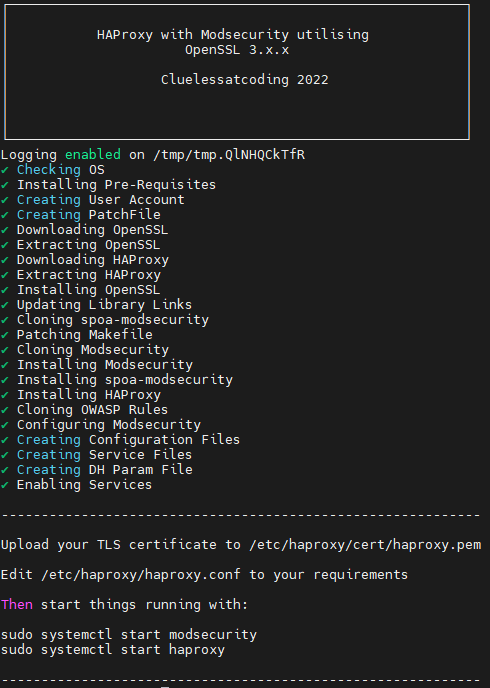
So ….. My latest effort has been a bash script that runs on both Ubuntu 22.04 and Alma 8.6 and installs HAProxy 2.8.12, OpenSSL 3.0.15 and Modsecurity.
The starting point is a clean build, with latest OS patches installed and no additional packages. This script downloads, extracts and installs the version of OpenSSL 3 and HAPoxy 2.8 specified at the beginning of the script.
Simply make the script executable and run using sudo or as root.
When the script is done all you need to do is make the final changes to /etc/haproxy/haproxy.conf and start the services. Modsecurity is not configured to block until you modify its config file.
If you want to see what is going on when the script is running simply change the log value to standard out. I will add an option for this later.
Update 14th March 2023: This script had two massive errors, one in the haproxy service configuration file and one in the make command of haproxy. Both of these have now been fixed.
Update 10th August 2023: The script has been changed so the default is OpenSSL 3.0.9 and the HAProxy 2.8.1. I have also fixed an issue with permissions on the /var/log/haproxy folder which stopped log files being written.
Update 27th November 2024: The script has been changed so the default is OpenSSL 3.0.15 and the HAProxy 2.8.12.
You can find the script at:
 Tech Babble
I just wanted to say thank you for this script!
For some reason I had an issue with it detecting the OS on Debian 11, not sure why but I set the variable in the script to get around it.
Also I changed cat >> for the patch file to cat > since it causes issues if you have to rerun the script.
LikeLike
No worries, I am pleased that you found it of use. I will update the cat command as that makes sense and look in to the Debian 11 issue.
LikeLike
but from now… the problem with the cat command is, that you overwrite the content from modsecurity.conf with the include lines. I would change it back to
cat >> /opt/modsecurity/modsecurity.conf << ‘EOL’
instead of
cat > /opt/modsecurity/modsecurity.conf << ‘EOL’
-line 353 in haproxy_install.sh –
LikeLike
Thanks , done. I will be updating with few changes shortly. As modsecurity has been taken over by owasp and I will reference newer crs rules.
LikeLike
I successfully used the script. However, the log of ModSecurity shows the source (src) and destination (dst) IP as 127.0.0.1.
LikeLike
Yes, that unfortunately is due to the request flow. HAProxy –> ModSecurity –> HAProxy –> Destination. I will take a look to see if there is anything that can be done to provide more client info in the modsecurity logs.
LikeLike
I understand, and I hope you will find a way to fix the ModSecurity logs. Thank you for your help. Wishing you good luck and looking forward to the results.
LikeLike